


[ad_1]
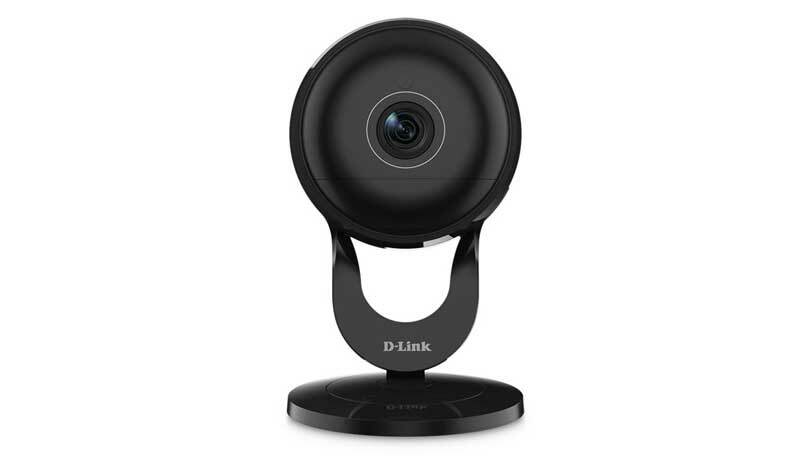
Wi-Fi home surveillance cameras are great for keeping tabs on your home while you’re away, and the D-Link 180-Degree Wi-Fi Camera DCS-2630L ($179.99) lets you see more of what’s going on than almost any other camera. The DCS-2630L boasts a 180-degree viewing angle, sharp HD (1080p) video, sensors for motion and sound detection, and a microSD card slot for local video storage. But you can’t use it to trigger other home automation devices, and it doesn’t send email alerts, both of which are features you’ll find in our Editors’ Choice for home surveillance cameras, the Icontrol Networks Piper nv.
Design and Features
The DCS-2630L has the same puck-shaped design as the Nest Cam and the Samsung SmartCam HD Plus ($159.00 at Amazon)(Opens in a new window) , but at 5.5 by 3.3 by 3.3 inches (HWD), it’s significantly larger than both. The glossy black camera is supported by a matching stand with a horseshoe-shaped pedestal and a round base. Under the hood is a 3-megapixel CMOS sensor, six infrared LEDs that provide up to 16 feet of night vision, 802.11ac Wi-Fi circuitry, and motion and audio sensors. The camera has an 8X digital zoom and an embedded speaker and microphone for two-way audio communications. There’s a mini USB power port on the bottom of the puck, a microSD card slot (card not included) on the right edge, and WPS and Reset buttons on the back. The microSD slot allows you to store video on the camera itself, as opposed to simply streaming it.
As with the D-Link Wireless AC Day/Night Camera With Color Night Vision (DCS-2136L) ($195.92 at Amazon)(Opens in a new window) , the DCS-2036L works with the mydlink Lite app for Android and iOS devices, and can also be controlled and viewed using the mydlink Web portal. When you launch the app you are presented with a list of installed cameras and other D-Link smart devices. Tapping the icon for your camera launches a live view page with buttons for two-way communications, muting audio, taking a snapshot, changing the resolution, and choosing a light setting (Automatic, Day, and Night modes). There’s also a button that lets you view device stats such as bit rate, frame rate, resolution, camera name, and model number.
Tapping the Settings button in the upper right corner takes you to the main features page where you can view recorded and live video and enable or adjust Motion and Sound Detection settings. Here you can also change Wi-Fi settings and Time Zone settings. You can also do all of this using the Web portal, where you can access Advanced Settings to adjust exposure, white balance, saturation, and sharpness levels. The portal also allows you to set up daily and hourly recording schedules.
Similar Products
Samsung SmartCam HD Plus
Check Stock
(Opens in a new window)
Read Our Samsung SmartCam HD Plus Review
Remocam
Check Stock
(Opens in a new window)
Read Our Remocam Review

Kuna
Check Stock
(Opens in a new window)
Read Our Kuna Review
Canary All-In-One Home Security Device
See It
(Opens in a new window)
Read Our Canary All-In-One Home Security Device Review
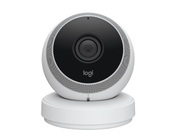
Logi Circle
Check Stock
(Opens in a new window)
Read Our Logi Circle Review

Logitech ConferenceCam Connect
See It
(Opens in a new window)
Read Our Logitech ConferenceCam Connect Review


AVer VC520 Video Conference Camera System
Check Stock
(Opens in a new window)
Read Our AVer VC520 Video Conference Camera System Review
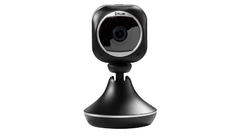
Flir FX WiFi Home Monitoring Camera FXV101-H
Check Stock
(Opens in a new window)
Read Our Flir FX WiFi Home Monitoring Camera FXV101-H Review
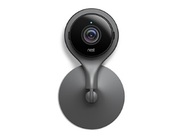
Nest Cam Indoor
See It
(Opens in a new window)
Read Our Nest Cam Indoor Review
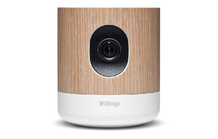
Withings Home
Check Stock
(Opens in a new window)
Read Our Withings Home Review
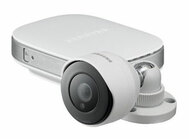
Samsung Smartcam HD Outdoor
Check Stock
(Opens in a new window)
Read Our Samsung Smartcam HD Outdoor Review

SkyBell Wi-Fi Video Doorbell
Check Stock
(Opens in a new window)
Read Our SkyBell Wi-Fi Video Doorbell Review

Ring Video Doorbell
Check Stock
(Opens in a new window)
Read Our Ring Video Doorbell Review
You can configure the DCS-2630L to send push notifications when the motion and sound sensors are triggered, but it does not support email notifications, nor does it work with other home automation devices, even from D-Link, like the D-Link Wi-Fi Motion Sensor DCH-S150 or the mydlink Wi-Fi Smart Plug.
 D-Link Full HD 180-Degree Wi-Fi Camera DCS-2630L
Installation and Performance
Installation was fairly easy. I already had a mydlink Lite account from previous reviews, but if you don’t all you have to do is download the app, create an account, and tap Add a New Camera. I followed the on-screen instructions to scan the QR code on the base of the camera and powered it up. I opted to use the manual installation procedure instead of the WPS installation, and was instructed to connect to the camera’s SSID, enter the password (also located on the base), and hit Next. I selected my Wi-Fi SSID from the list and entered my password, then waited around 60 seconds for the camera to be discovered. I then had to wait around five minutes for a firmware update before I was able to view live video.
The DCS-2630L delivered very sharp live HD video in my tests. Colors were rich and accurate, and black-and-white night vision video was crisp with excellent contrast. The camera’s 180-degree viewing angle provided a clear panoramic view of my living room, with very little evidence of pincushion distortion around the edges.
The motion and audio detection features worked flawlessly, but I had to tinker with the motion sensitivity slider to prevent false alerts. The camera never failed to send a push notification and record video when the sensors were triggered, and recorded video looked every bit as good as the live stream. Two-way audio communications were clear as well.
Conclusions
The D-Link Full HD 180-Degree Wi-Fi Camera DCS-2630L is a solid choice for homeowners looking to monitor an entire room with a single camera. It delivers crisp ultra-wide HD video with minimal distortion, and offers precise motion and audio detection will record video and store it locally when triggered. That said, it doesn’t react to triggers from other home automation devices, including D-Link’s own. If you’re looking for a camera that you can integrate into your connected home, consider the Nest Cam or the Piper nv, both of which offer integration with other smart device. The Piper nv also doubles as a home automation hub, which is why it remains our Editors’ Choice for surveillance cameras.
3.5

(Opens in a new window)
(Opens in a new window)
View More
The D-Link Full HD 180-Degree Wi-Fi Camera DCS-2630L offers an ultra-wide field of vision, motion and sound detection, and detailed HD video, but it’s relatively bulky and it doesn’t interact with other smart home devices.
[ad_2]
Source link : https://www.pcmag.com/reviews/d-link-full-hd-180-degree-wi-fi-camera-dcs-2630l



