



[ad_1]
Steps
Part 1
Part 1 of 3:
Building the Base of the Drone
-
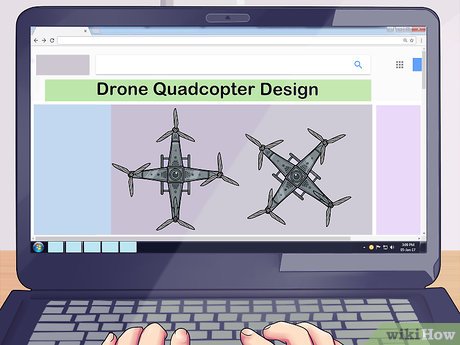
1Find a quadcopter design in a book or online for reference. There are many websites and books devoted specifically to building your own drone. The most common kind of home-built drone tends to start with an “X” shape that allows you to mount 4 rotors (called a quadcopter). This design is easy to build and is used even on high-end drones.- Having a design to follow will help make it easier to decide where best to place each component.
- Once you’ve finished a quadcopter drone, you can try larger designs that incorporate more motors to carry more equipment like cameras.
- Many drone designs are available for free online if you search “DIY drone design.”
-
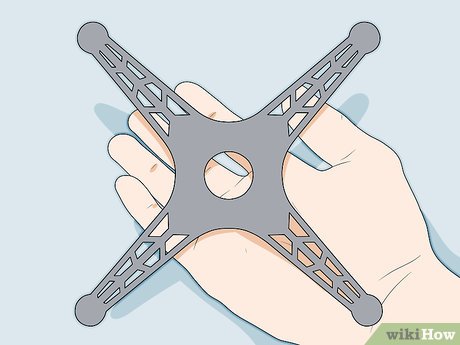 2Make a frame for the drone out of metal, plastic, or wood. Begin constructing your frame using the material of your choice. Model plastic, balsa wood, or thin metal (thinner than .25 inches (0.64 cm)) are best. For a simple quadcopter design, lay one 12 in (30 cm) long piece of wood, plastic or light metal across another, so it creates an “X” shape with 90-degree angles. Each extending arm of the drone frame should reach toward what would be the corner of a perfect square you could draw around the frame. Choose a frame material that is at least 1 inch (2.5 cm) wide to support mounting your engines.[1]
- You can purchase model plastic, thin metal, or balsa wood at most hobby or model stores. You can also find these materials at drone retailers or on websites like Amazon.
- Use glue or duct tape to secure the two pieces of your frame together.
- Don’t move on to the next step until the pieces of the frame are secure and any glue you’ve used has dried.
-
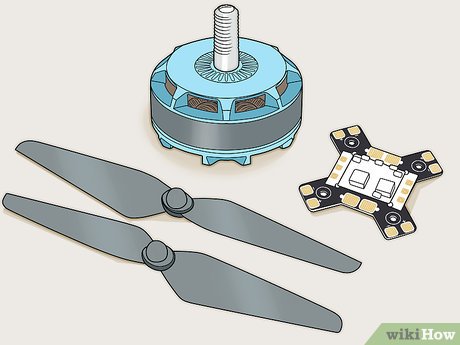 3Purchase motors, propellers and other electronics from a drone retailer. There are some components of your drone that can’t be built from scratch, so you’ll need to purchase them. If there is no drone retailer nearby, many hobby stores that carry model rockets and R/C airplanes will carry them.[2]
- You will need to purchase speed controllers, a power distribution board, and a flight controller along with the motors and propellers. Note that most modern flight controller comes integrated with power distribution board.
- If you have trouble finding the parts you need, many drone specific online retailers, as well as large retailers like Amazon, carry these parts.
- Drone engines should be rated to produce a total of twice as much thrust as the drone weighs. If your quadcopter will weigh 800 grams (28 oz), each engine should produce 400 grams (14 oz) so the combined total amount of thrust will equal 1,600 grams (56 oz).
- Make sure the speed controller current rating is higher than that of your motor.
- You can often buy these components in bundles.
-
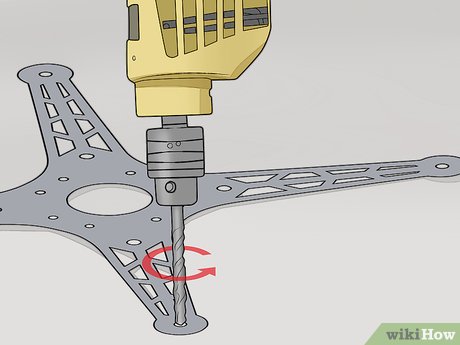 4Drill holes in the frame to support the motors. Most motors mount using anywhere from 2 to 4 screws. Place one motor at the end of one of the drone’s extended arms and make marks where the holes need to be drilled. Then use those holes to guide you when using the drill.
- If you are using self-setting wood screws on a wood or plastic frame, drill the holes smaller than the diameter of the screws so they can work as a guide.
- If you are using metal, drill holes of the same diameter of the mounting bolts you’ll use. You will then need to use nuts on the underside of the bolts to secure them in place.
-
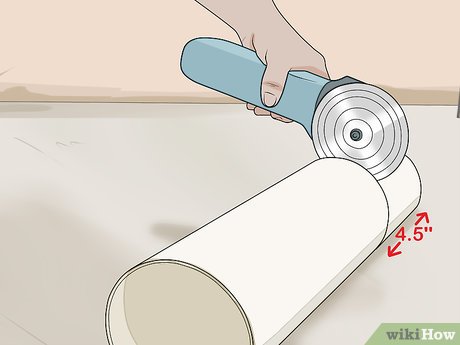 5Cut 4 .5 in (1.3 cm) rings from a 4 in (10 cm) PVC pipe to make landing gear. Lay the pipe on its side and mark it where you’ll make your cut. Then use a saw to cut all four sections, so you’re left with 4 plastic rings made of PVC pipe.
- These four rings will serve as lightweight landing gear for your drone.
- The cuts don’t have to be perfect as long as the rings are thick enough to be sturdy, but the better the finish on your cuts, the better the drone will look.
-
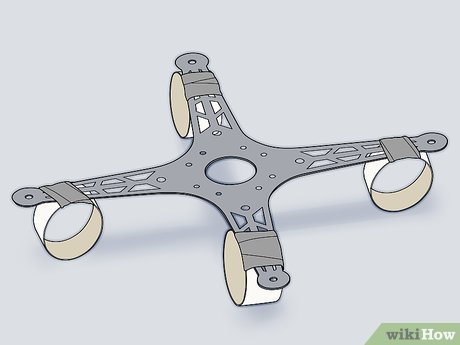 6Stand the landing gear rings on their side and attach them with duct tape. Place one ring on its side beneath each arm of the drone’s frame, then use thin strips of duct tape to secure the rings to the arms. The drone will now stand on its own on your table.
- You can use glue instead of tape, but make sure it’s completely dry before moving on.
- Keep the rings in the middle of the arms so they don’t interfere with the placement of your motors or other components.
Part 2
Part 2 of 3:
Installing the Drive System
-
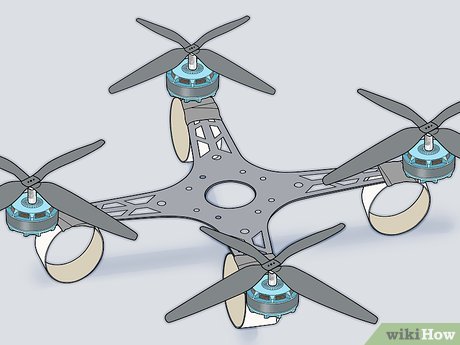 1Mount the motors on the frame. Place each motor over the holes you drilled for them and then use screws or bolts to secure them in place. Then slide the propellers over the posts extending from the top of the motors and screw the caps that came with the motors over the top of the posts.[3]
- The drone frame now has landing gear and motors, but the center portion of the frame should still be empty.
- Tighten the bolts or screws securely so the motors can’t wiggle at all on the frame. Any slack will create vibrations that can make the drone unstable.
-
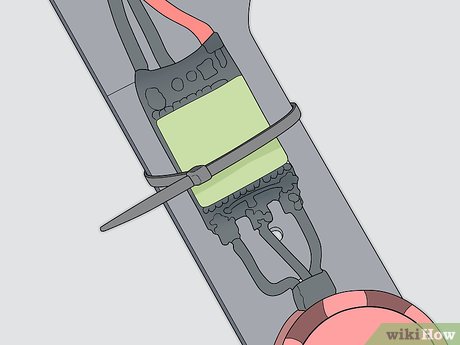 2Use zip ties to secure the speed controllers to the bottom of the frame. The electronic speed controllers that connect to the motors should be mounted on the underside of the drone frame to prevent it from getting too top heavy when you add the rest of the components. Zip ties are an easy way to attach them. Run the zip ties through the mounting loops on the speed controllers (or just across them) and over the frame. Then pull the zip ties tight so the controllers are firmly held in place.[4]
- Don’t use glue the first time you assemble your drone, as you may find you want to adjust the positioning of different components based on how it flies.
- The speed controllers regulate how fast the motors on the drone spin. This ensures all four motors spin at the same speed so the drone will be level as it flies.
-
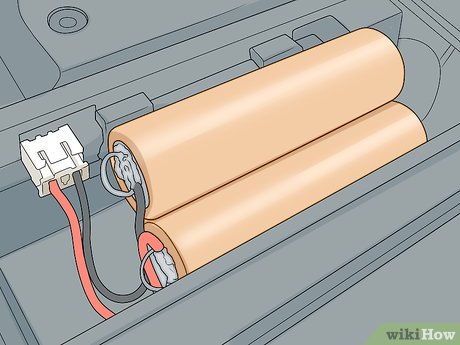 3Secure the battery to the frame. Consider the size and shape of your battery when looking for the right place to mount it. If it’s flat, you can mount it in the center of the drone and then mount other components on top of it. If not, you may want to mount the battery on the underside of the drone along with the speed controllers.[5]
- In most applications, mounting the battery in the center of the top of the frame is the best place.
- Use zip ties to hold the battery in place so you can remove it and move it if you need to adjust the weight distribution of the drone later.
-
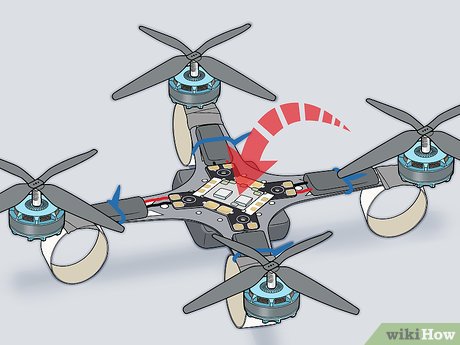 4Install the power distribution board. Center the power distribution board on the drone frame, on top of the battery if you placed it there as well. Connect the lines from the speed controllers and the battery to the board once you’ve zip tied it down.[6]
- The power distribution board relays the right amount of power to each component to keep the drone operating smoothly.
-
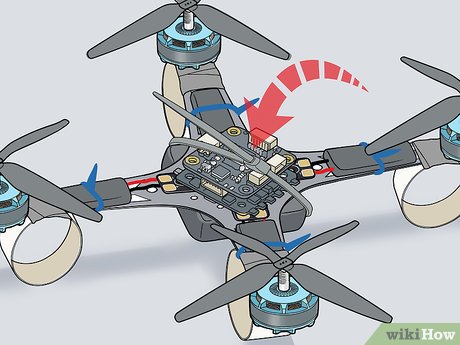 5Attach the flight controller to the drone frame with zip ties and connect it. The flight controller relays information from the remote control to the power distribution board. Position it on top of the power distribution board and then zip tie it down.
- Refer to the instructions for the flight controller and power distribution box to connect them properly, but in most applications, the connection will be one clearly marked wire that plugs directly from one into the other.
Part 3
Part 3 of 3:
Connecting the Controls
-
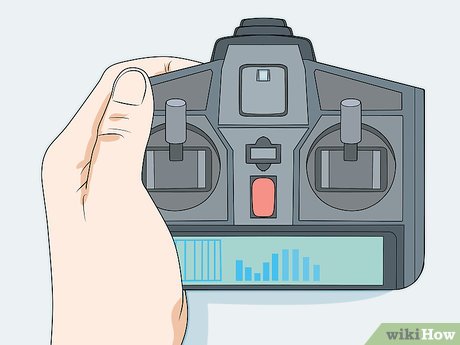 1Buy a wireless remote control system that works with your flight controller. Ask for help at your local hobby store or drone retailer to make sure to choose a remote control system that works with your specific flight controller. Often, you can buy them in bundles, but if not, the remote control system will list the flight controller systems it is compatible with on the box. Choose one that lists your flight controller.[7]
- The remote control system will come with the remote control itself that you’ll use to pilot your drone.
- Check to see if your system takes off-the-shelf batteries or is rechargeable. You’ll need to power it to connect it to your flight control system.
-
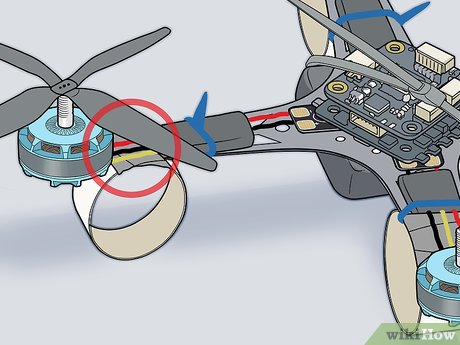 2Connect the motors to the speed controllers. Run the wires from the motors to their respective speed controllers on the underside of the drone’s frame so power can be transferred into the motors once you power the drone up. While these connections may vary from brand to brand, they are usually a simple male/female connection that just needs to be pressed together.[8]
- If your components don’t have a simple connector, refer to the instruction manual for the speed controller to assess the best way to connect them.
- You may need to solder the wire directly to a port on the motor itself. If so, check the manual for the motor as well, to ensure you’re soldering the wire to the correct port.
-
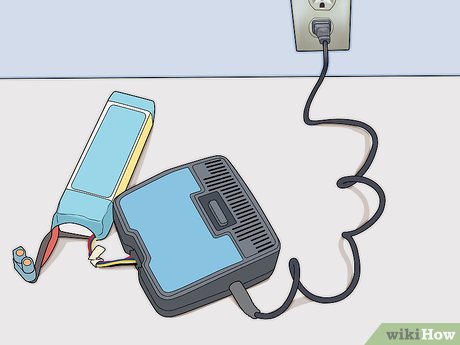 3Charge the drone battery. Use the power supply that came with your battery to plug it into a wall outlet. Leave it plugged in until it reaches a maximum charge (usually four hours, but refer to the instructions that came with your battery to check for your specific application).
- You’ll need the drone’s flight controller powered to connect it to the remote control system.
- Many drone operators choose to purchase and charge multiple batteries, as each one will only power the drone in flight for a few minutes before needing to be recharged again.
-
 4Link the remote control system to the flight controller. Follow the instructions that came with your remote control system to establish a link between the remote control and the flight controller mounted on the drone.
- On many applications, this connection is easy to establish: simply hold the sync button on both the remote control and the flight controller while they’re near each other and the two will link up.
-
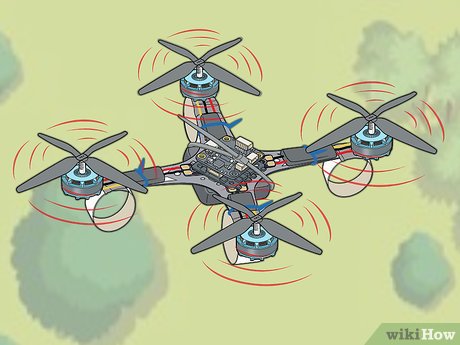 5Fly your drone in the air. Turn on both the drone (using the switch on the flight controller) and the radio control. Drone controls usually have at least two joysticks: the left stick controls the yaw (or the direction the drone is pointed) by moving left to right, and the throttle by going forward and backward. The right stick controls the roll (left to right) and the pitch (pointing the “nose” down or up).[9]
- Use the left stick to control speed and direction.
- Use the right stick to control the orientation of the drone (leaning left or right, angled up or down).
Video
Warnings
-
Check with your local laws and regulations pertaining to flying drones before you take yours out.⧼thumbs_response⧽
-
Never fly your drone near or over airports.⧼thumbs_response⧽
Things You’ll Need
-
2 Pieces of wood, plastic or metal that measure 12 inches (30 cm) by 1 inch (2.5 cm)
-
Flight Controller System
-
4 Motors and propellers
-
4 Electronic Speed Controllers
-
Power Distribution Board
-
Lithium Polymer (Li-Po) battery
-
Remote Control System
-
Duct tape
-
Zip Ties
-
PVC pipe that is 4 inches (10 cm) in diameter
You Might Also Like




-Step-15.jpg)

[ad_2]
Source link : https://www.wikihow.com/Make-a-Drone



